Yearly
$59.99 per year
That works out at $5.00 a month, billed once a year.
- Full access during the 7 day free trial
- Billing starts when the trial ends, unless you cancel at least 24 hours before
- Everything in Shimmerday included
A planner for ADHD brains
Shimmerday gets you moving with one tiny first step, keeps your apps closed until your tasks are done, and never makes you feel bad about a rough day.
7 days free on the yearly plan for new subscribers, then $59.99 a year. Or $11.99 a month. Cancel anytime in your App Store settings.
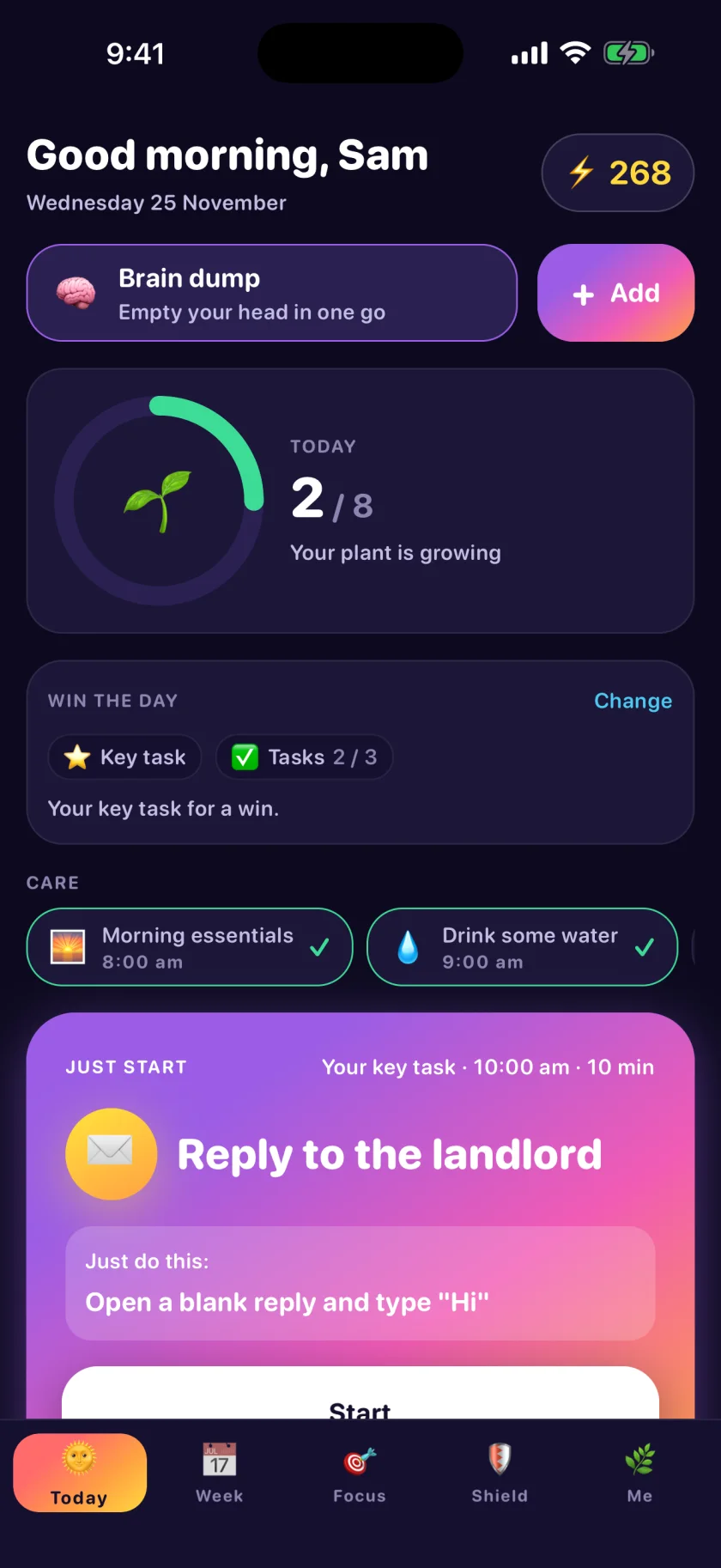
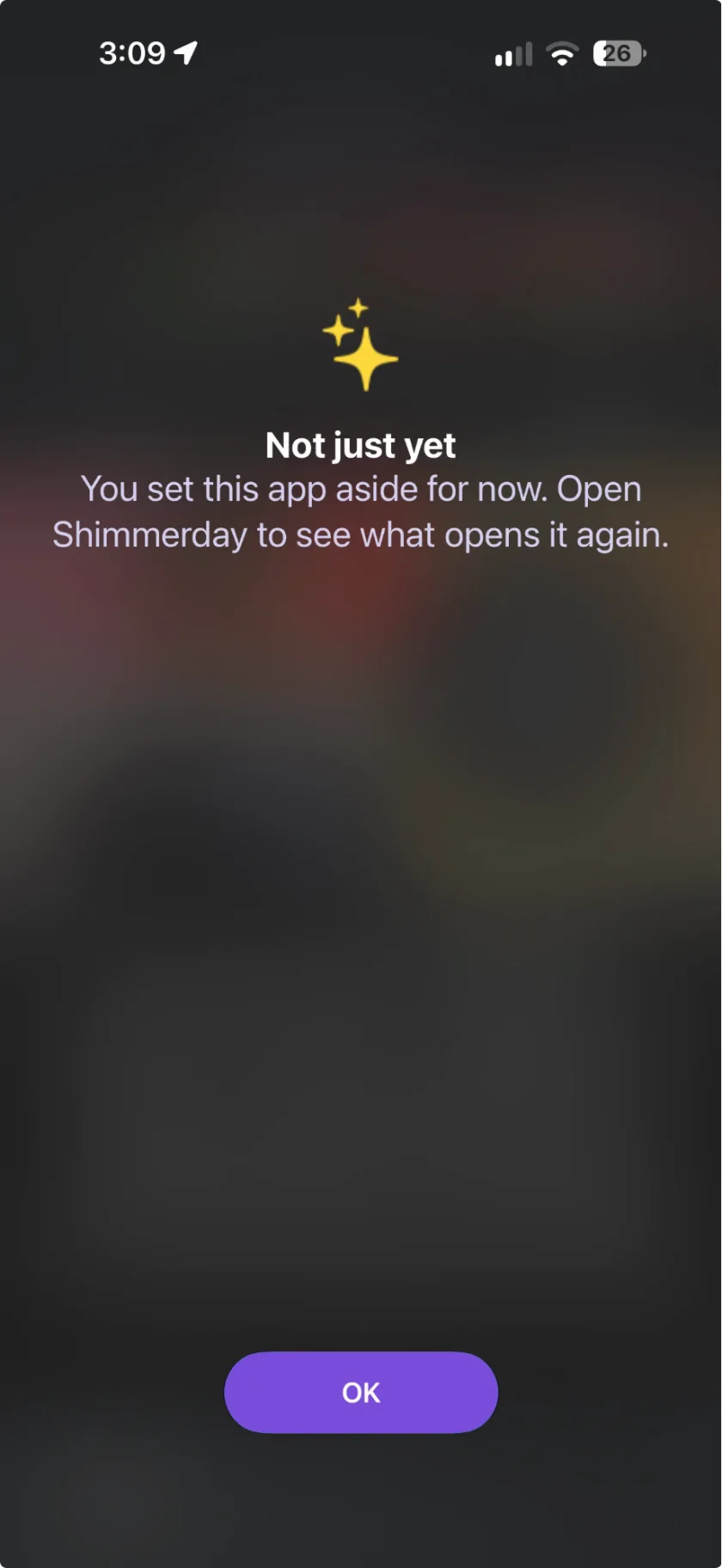
You know what to do. Starting is the hard part. Then your phone wins the afternoon.
Most planners trust you to follow the plan. Shimmerday is built for the moment you don’t: it makes starting small, it makes scrolling wait, and it lets someone on your side hold you to it.
01 Getting started
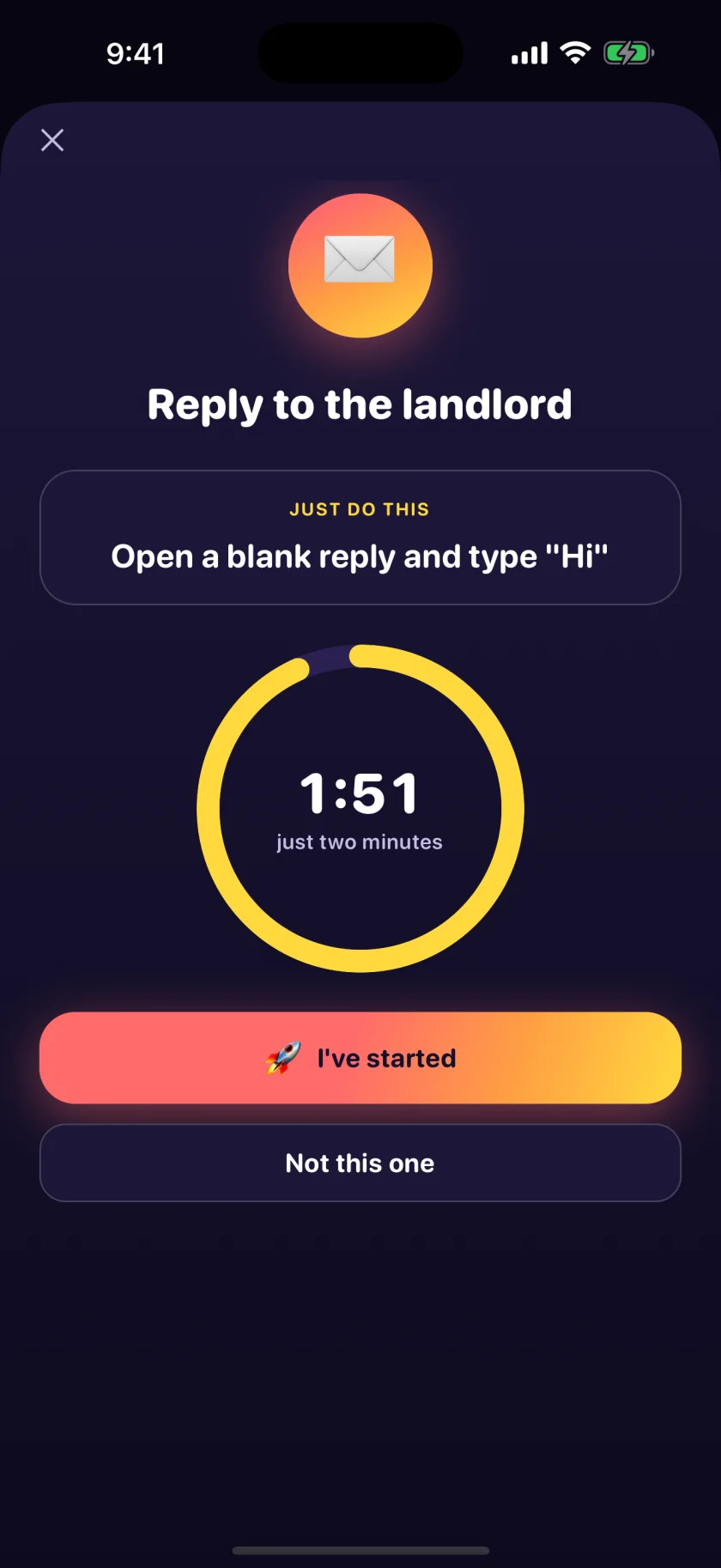
Just Start picks your next task, shows you one tiny first step, and runs a two-minute countdown. Two minutes is the whole ask. Keep going only if you feel like it.
02 Staying on it
Choose the apps that pull you in. Shield keeps them closed until your tasks are done, until one chosen task is done, or during hours you set. Tick your tasks and they open again on their own.
03 Someone on your side
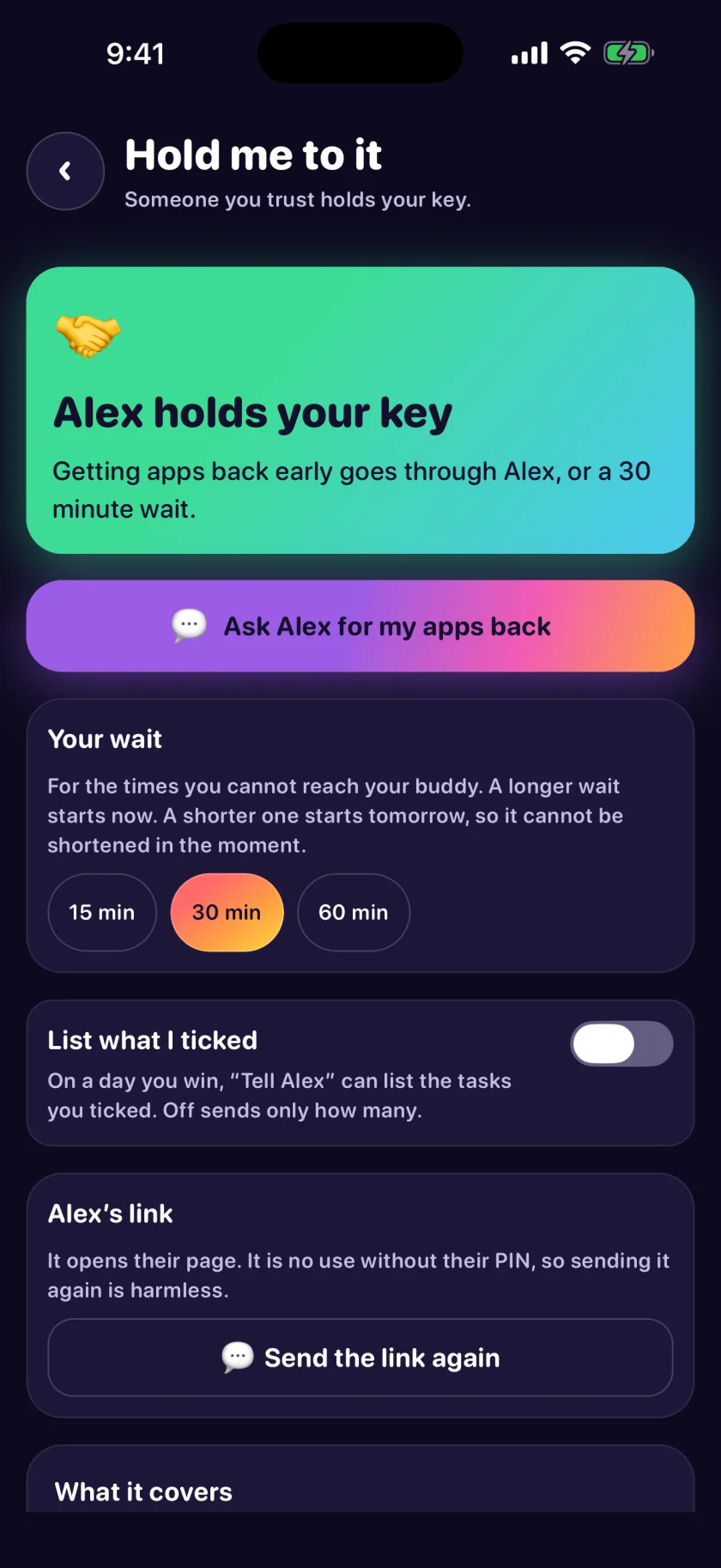
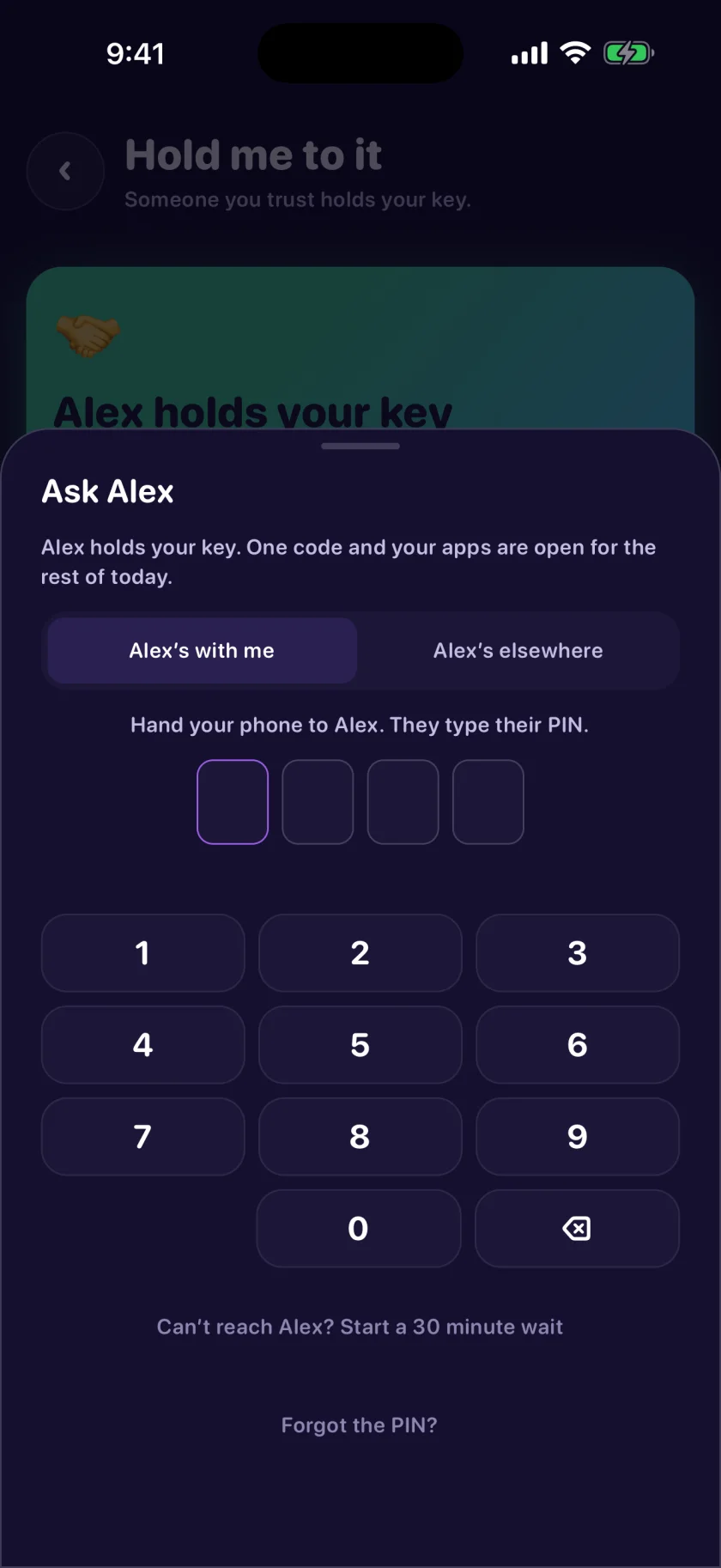
With Hold me to it, you ask one person you trust to hold your key. Want your apps back early? Ask them for a quick code. A promise someone else knows about is far easier to keep.
Color as a reward
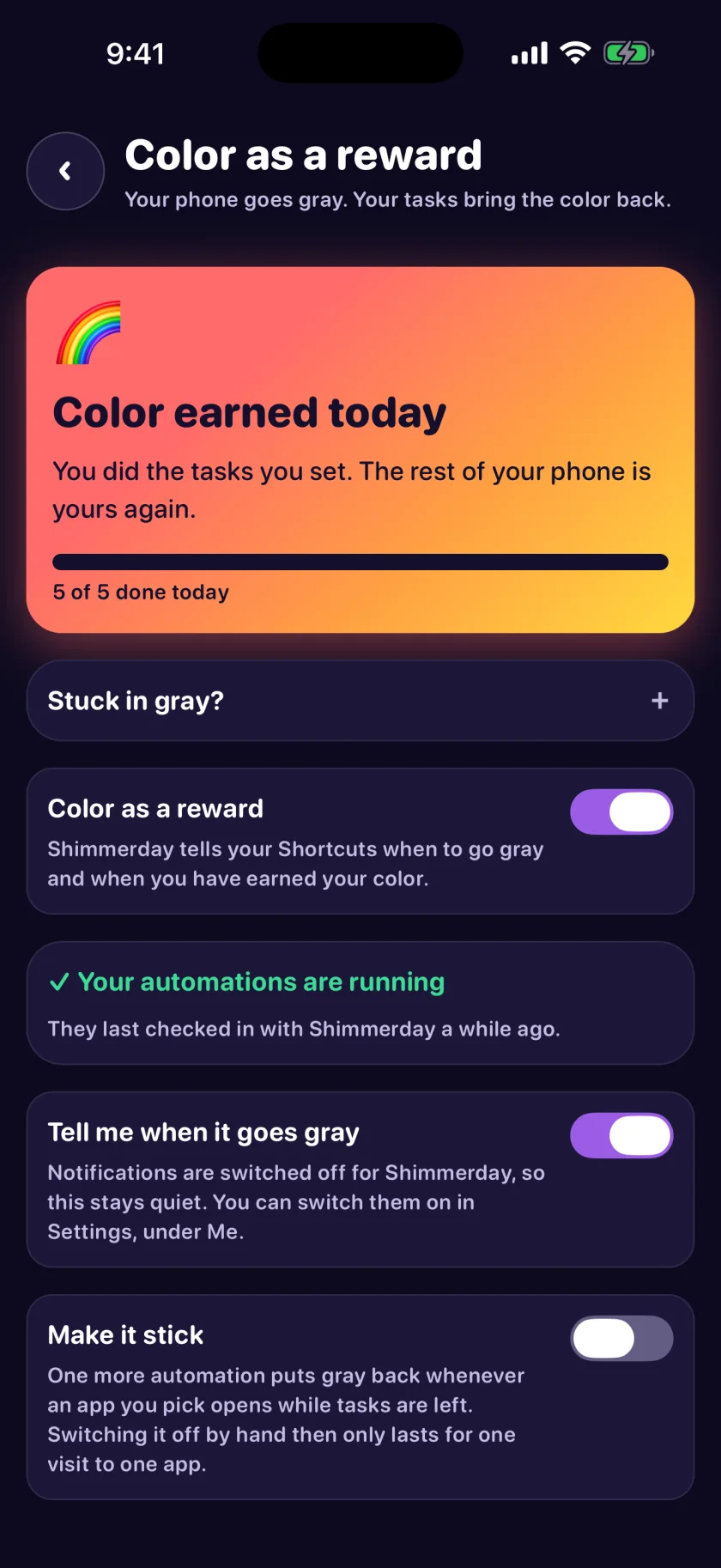
Your iPhone goes gray at a time you set. Your tasks bring the color back. Scrolling in gray is a lot less tempting, and the day you finish looks different from the day you didn’t.
Guided setup with Apple Shortcuts. Optional, like everything else here.
No streaks. No shame.
Nothing is ever marked overdue. Come back after a day or a month and Shimmerday says welcome back, then offers to bring old tasks to today or let them go.
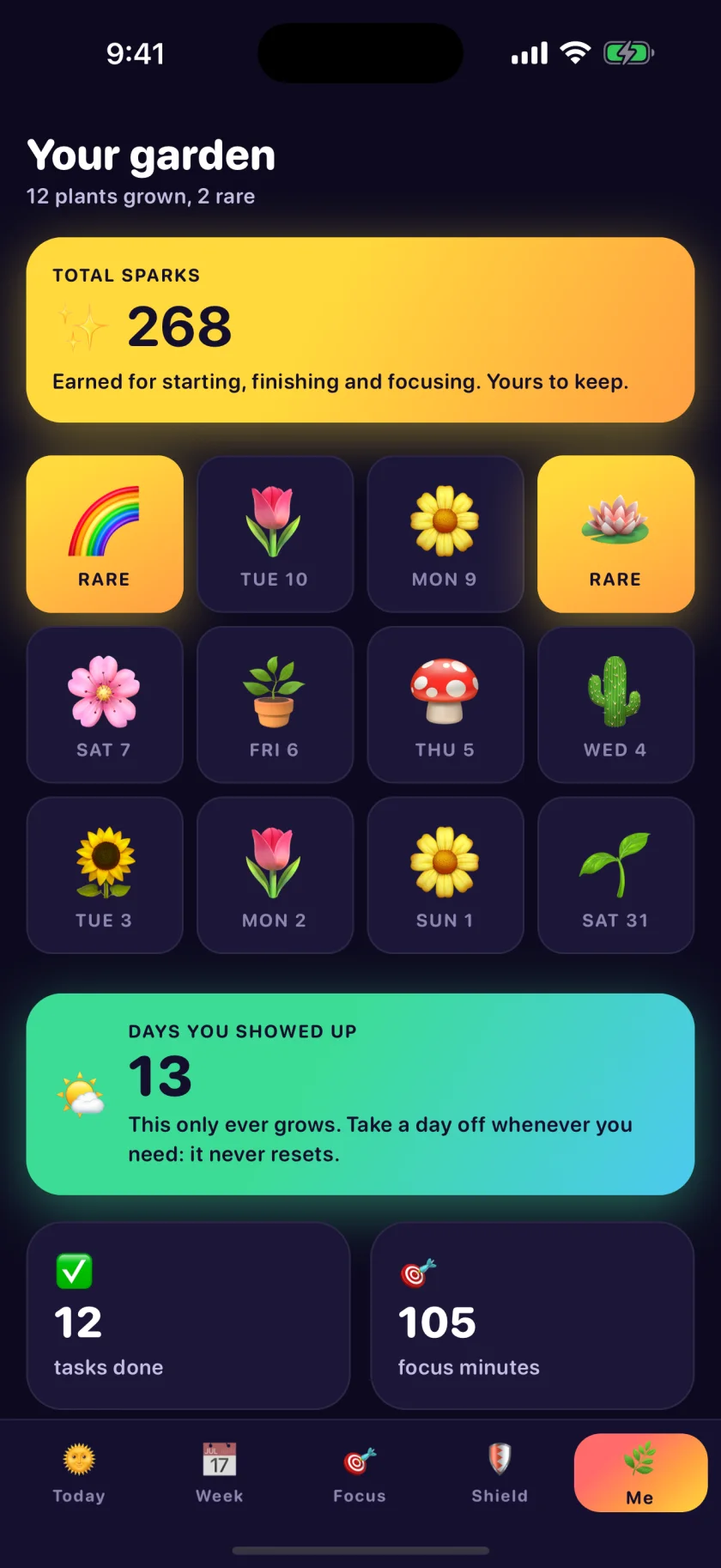
No guilt wall and no “you missed” messages. Unfinished tasks are quietly offered again or let go.
There is nothing to lose. Your garden and your days-shown-up count only ever go up.
No advertising, no analytics software watching what you do, and no tracking across other apps or websites.
Your tasks, routines and reminders stay on your phone. We have no server to put them on, so we could not sell them if we wanted to.
Miss a day, a week, a month. You’re always welcome back.
Also inside
Small tools for the hard parts of the day. Each one does one job, and none of them keep score against you.
Type or dictate everything in your head in one messy go. Shimmerday sorts it into task drafts right on your phone, picking up words like “tomorrow”, “at 3pm” and “20 min”.
Your tasks and your calendar events together, from the calendars already on your iPhone. Your calendar never leaves your phone.
Blocks of 10, 15, 25 or 45 minutes tied to the task you are doing, with a proper break after each one and the countdown on your Lock Screen.
It notices how long your tasks really take and nudges your estimates to match, so the plan stops lying to you.
Set when something needs to be finished and get a heads-up before events, so nothing sneaks up on you.
Confetti and sparks when you start a task, not only when you finish one.
One tap adds each day’s suggestions, so the week has a shape before Monday arrives.
Optional nudges for meds or supplements, water, a meal and a movement break. You choose the labels and the times.
Reminders are a helping hand, not a medical device. Please don’t rely on them alone for anything critical.
“I have ADHD too, and I’m building Shimmerday for myself as well.”
Most planners are built for brains that run on importance. Shimmerday is designed by someone with ADHD, because I needed it too. That is the whole story: no credentials to wave and no big promises, just a planner shaped by the kind of days it is meant for.
The founder of Shimmerday
Pricing, stated plainly
Shimmerday is a subscription app and there is no free version. You can try the yearly plan free for 7 days, and the app shows you the price before you pay anything.
$59.99 per year
That works out at $5.00 a month, billed once a year.
$11.99 per month
Billed every month, starting the day you subscribe.
Payment is charged to your Apple Account when you confirm the purchase, or at the end of the free trial. Subscriptions renew automatically at the same price until you cancel at least 24 hours before the end of the current period. You can manage or cancel at any time in your App Store account settings. Refunds are handled by Apple.
Prices are in US dollars. The App Store may show a different price in your country or add tax, and the price shown at purchase is the one that applies. The free trial is for new subscribers only. See the Terms of Use for the full details.
Questions
You can always get to it. Shield is a promise you make to yourself, not a lock someone else controls.
On your own, a rule that is holding has an unlock with a short wait, and you can remove Shimmerday’s Screen Time access in your iPhone’s Settings whenever you like. If you have asked someone to hold your key, getting apps back early goes through a quick code from them, or through a wait you chose yourself for the times you cannot reach them.
No. You pick the apps in Apple’s own Screen Time picker, and Shimmerday is only handed anonymous tokens for them. It cannot read which apps they are, sees no usage data, and nothing about them leaves your iPhone.
No. For Hold me to it, your buddy only needs a link. It opens a page on this website where they choose a 4-digit PIN and get the short codes you ask for. They make no account, and nothing they type is sent anywhere: the page does its sums in their own browser.
No. Shimmerday is a planning tool. It helps you plan, start and finish everyday tasks, and that is all it claims to do.
Shimmerday is not a medical device and does not diagnose, treat, cure or prevent any condition. Talk to a healthcare professional about medical questions.
No. There is no sign-up, no email address and no password. You open Shimmerday and start. Your subscription is tied to your Apple Account by the App Store, not to an account with us.
Your tasks, routines, care reminders, focus history and settings are stored only on your phone. We have no server, so we cannot see them. Deleting the app, or using Reset all data in Settings, erases them.
Two things can leave your phone. Your subscription is handled by Apple and a purchase service called RevenueCat, which sees a random ID and your subscription status, not your name or your tasks. And if you switch on the optional walk nudge, an approximate location (rounded to about 10 km) is sent to the weather service Open-Meteo to fetch the forecast. That feature is off by default.
The Privacy Policy has the full picture.
On your iPhone, open Settings, tap your name, then Subscriptions, choose Shimmerday and tap Cancel Subscription. Inside Shimmerday, Settings then Manage subscription takes you to the same place.
Cancel at least 24 hours before the trial or the current period ends to avoid the next charge. You keep access until the end of the period you have paid for. Deleting the app does not cancel a subscription.
Not yet. Shimmerday is on iPhone first. An Android version is planned, and we would rather not promise a date we might miss.
No account to create. Try the yearly plan free for 7 days and cancel anytime in your App Store settings.
Download on the App Store